Email Signature Management: The Complete Guide for 2026
Every business email your company sends carries a signature. For a mid-size organization with 500 employees, that adds up to roughly 125,000 emails per week, or more than six million per year. Each one of those messages is an opportunity to reinforce your brand, drive traffic to a campaign, and stay compliant with legal requirements. Yet most companies leave this massive channel completely unmanaged, letting every employee craft their own signature with inconsistent fonts, outdated logos, and missing disclaimers.
Email signature management is the discipline of taking control of that channel. It means centralizing the design, deployment, and governance of every signature across your organization so that each outgoing email reflects your brand accurately, meets compliance standards, and works as a marketing touchpoint. In this guide, we will walk through why email signature management matters, how to evaluate email signature software, and how to implement a management strategy that turns everyday email into one of your highest-performing channels.
What Is Email Signature Management?
At its core, email signature management is the practice of centrally controlling the email signatures used by every employee in your organization. Rather than relying on individuals to copy and paste HTML into their email clients, a managed approach gives your marketing or IT team the ability to design, deploy, update, and enforce signatures from a single platform.
A well-managed email signature program typically covers three areas:
Brand consistency. Every signature uses the same logo, color palette, typography, and layout. Whether an email comes from a sales rep in Dallas or an engineer in Berlin, the recipient sees a unified brand experience.
Compliance and legal requirements. Industries like financial services, healthcare, and real estate have strict rules about the disclosures and disclaimers that must appear in outgoing communications. Centralized management ensures that the right legal language is always present and always up to date.
Marketing activation. When signatures are managed centrally, they become a canvas for promotional banners, event invitations, content offers, and calls to action. This turns every employee into a distribution channel for your marketing campaigns, without requiring any action on their part.
If you are new to the concept, our overview of email signature solutions provides a solid foundation for understanding the market and the value proposition.
The Cost of Unmanaged Signatures
Leaving email signatures to individual employees might seem harmless, but the downstream costs are real and measurable. Here are the four biggest risks of an unmanaged approach.
Brand Fragmentation Across Employees
Without centralized control, employees will create signatures that vary wildly in format. Some will use an old logo. Others will choose a different font. A few will include personal quotes, social media links to inactive accounts, or images that break on mobile devices. The result is a fractured brand experience that undermines the professionalism your marketing team works so hard to build.
Consider that your email signature may be the very first brand touchpoint a prospect encounters. If that signature looks unprofessional or inconsistent with the rest of your marketing, the damage is done before anyone reads a word of the email body.
Compliance Risk
Many industries require specific disclosures in outgoing email. Financial advisors need FINRA-compliant disclaimers. Healthcare organizations must include HIPAA-related notices. Legal firms often need confidentiality statements. When signatures are self-managed, there is no guarantee that these critical elements are present, current, or correctly worded.
A single missing disclaimer can result in regulatory fines, legal liability, or failed audits. Centralized management eliminates this risk by enforcing compliance at the platform level.
Lost Marketing Opportunity
Your employees are already sending thousands of emails every day. Each one of those messages reaches a real person who is likely to glance at the signature block. Without a managed approach, that space sits empty or, worse, cluttered with outdated information.
Companies that activate their signatures as a marketing channel regularly see click-through rates between 2% and 5% on signature banners. For an organization sending millions of emails per year, that translates into tens of thousands of additional clicks to your landing pages, event registrations, or content offers, all at zero incremental media cost.
IT Support Burden
Signature issues are a surprisingly common source of helpdesk tickets. Employees ask IT for help formatting their signature, troubleshooting broken images, or updating their title after a promotion. When multiplied across hundreds or thousands of employees, these requests consume meaningful IT bandwidth.
A centralized signature management platform eliminates the vast majority of these tickets by automating signature creation and updates. Changes to titles, phone numbers, or branding are reflected instantly across the entire organization without any individual action required.
Email Signature Management for Microsoft 365
Microsoft 365 is the most widely used business email platform in the world, and it offers some built-in signature capabilities. However, these native tools have significant limitations that push most organizations toward a dedicated management solution.
Native Capabilities
Microsoft 365 allows administrators to create organization-wide transport rules that append a signature or disclaimer to outgoing messages. This is done through the Exchange admin center using mail flow rules. You can insert HTML-based signatures and use dynamic attributes like the sender's display name, title, and phone number.
Key Limitations
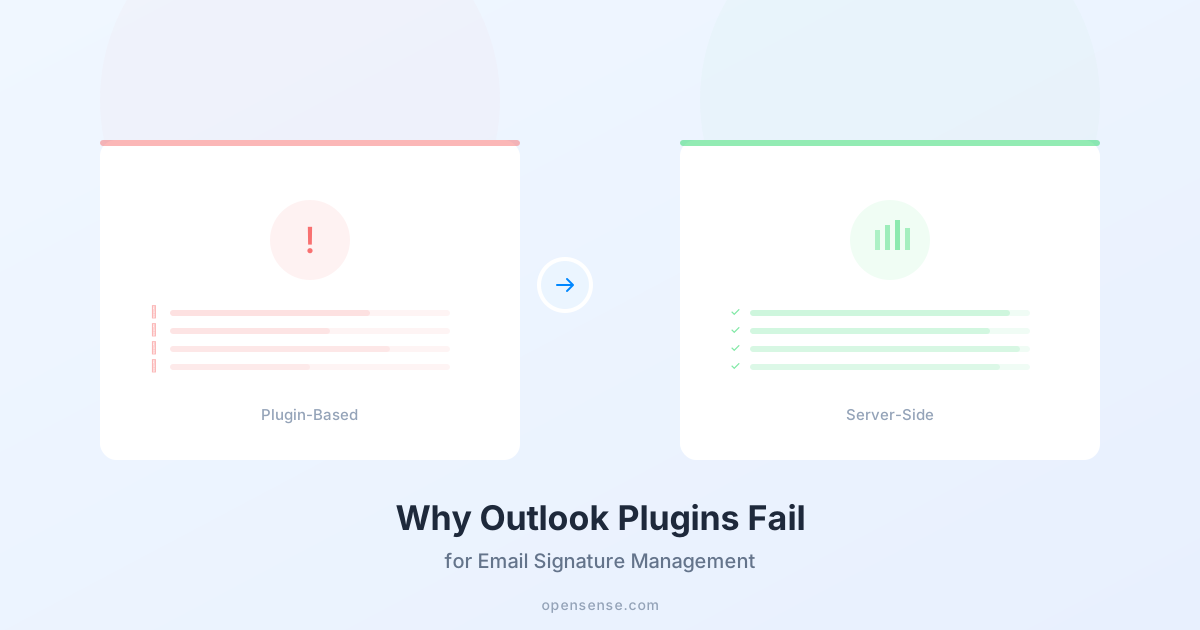
The native approach falls short in several important areas. Transport rule signatures are server-side, which means the sender cannot see their signature in the compose window before sending. This creates confusion and reduces confidence that the right signature is being applied. Additionally, Microsoft's transport rules support only basic dynamic fields. You cannot pull data from CRM systems, apply rule-based logic to assign different templates to different departments, or include clickable banner images with campaign tracking.
For organizations running Microsoft 365, a dedicated solution like Opensense for Office 365 addresses these gaps by providing client-side signature rendering, advanced personalization, and full campaign management. If you are specifically looking to deploy signatures across your entire Microsoft tenant, our guide to organization-wide email signatures in Microsoft 365 walks through the process step by step.
Email Signature Management for Google Workspace
Google Workspace (formerly G Suite) powers millions of businesses, particularly in the technology, media, and startup sectors. Like Microsoft 365, it provides basic signature functionality but lacks the management layer that growing organizations need.
Native Capabilities
Google Workspace allows individual users to create a signature within Gmail settings. Administrators can also use the Google Admin console to set a default signature for users, and they can append a footer to outgoing messages at the domain level using routing and compliance settings.
Key Limitations
Google's native admin controls are limited. Domain-level footers are plain text only, with no support for HTML formatting, images, or dynamic personalization. User-level signatures can include HTML, but each user must configure their own, and administrators cannot push updates to those signatures remotely.
This means that every time your company rebrands, launches a new campaign, or needs to update a legal disclaimer, someone has to communicate the change to every employee and hope they follow through. In practice, adoption rates for manual signature updates hover around 40% to 60%, leaving a large portion of your workforce sending emails with outdated information.
A purpose-built solution like Opensense for Google Workspace solves this by allowing centralized control over all Gmail signatures, with automatic deployment, real-time updates, and campaign banner management.
Key Features of Email Signature Management Software
When evaluating email signature software, there are several capabilities that separate a true management platform from a simple signature generator.
Centralized Dashboard
A single interface where administrators can manage all signatures across the organization. This includes the ability to create, edit, and deploy templates without touching individual email clients.
Template Designer
A visual editor that allows non-technical users to build professional signatures using drag-and-drop tools. The best platforms provide pre-built templates that conform to email client rendering standards, ensuring signatures look great in Outlook, Gmail, Apple Mail, and mobile clients.
Rule-Based Assignment
The ability to assign different signature templates to different users based on attributes like department, location, seniority, or job function. A sales representative in North America might have a different signature layout, banner, or CTA than a support engineer in Europe.
Real-Time Updates
When your marketing team changes a banner or your legal team updates a disclaimer, the change should propagate to every employee's signature instantly. No manual intervention, no helpdesk tickets, no waiting for employees to act.
Analytics and Reporting
Visibility into how signature banners are performing, including impressions, clicks, and click-through rates. Advanced platforms also provide attribution data so you can track which signature-driven clicks convert into leads or pipeline.
Compliance Controls
Built-in safeguards that ensure every outgoing email meets your organization's compliance requirements. This includes the ability to lock certain elements (like legal disclaimers) so that employees cannot modify or remove them.
CRM Integration
The ability to sync signature data with your CRM (Salesforce, HubSpot, or others) so that personalization fields stay current and engagement data flows back into your sales and marketing systems. This is especially valuable for account-based marketing strategies, where knowing which contacts are engaging with your signature content can inform outreach priorities.
How to Implement Email Signature Management
Rolling out a managed signature program does not have to be complicated. Follow these six steps to move from an ad-hoc approach to a fully managed, high-performing signature strategy.
Step 1: Audit Your Current State
Before making any changes, take stock of what exists today. Send a survey to a representative sample of employees and ask them to share a screenshot of their current signature. Look for inconsistencies in branding, missing contact information, outdated logos, and the presence (or absence) of legal disclaimers.
This audit will give you a clear picture of how severe the fragmentation is and help you build the business case for centralized management. In most organizations, the audit reveals a surprising level of variation, even among employees in the same department.
Step 2: Define Your Signature Standards
Work with your brand, legal, and marketing teams to establish the rules that will govern all signatures going forward. Key decisions include:
- Layout and structure. Will you use a horizontal or vertical layout? Will you include a headshot? How many lines of contact information?
- Branding elements. Which logo version, brand colors, and fonts should be used?
- Required fields. Name, title, phone, email, and any social links.
- Legal requirements. What disclaimers, confidentiality notices, or regulatory disclosures must be included?
- Banner space. Will you reserve space for a promotional banner below the signature? What dimensions and file format?
Document these standards in a signature style guide that can be shared across the organization.
Step 3: Choose a Platform
Select an email signature management platform that meets your technical requirements and integrates with your email infrastructure. Key criteria include compatibility with your email client (Microsoft 365, Google Workspace, or both), CRM integration, banner campaign support, and analytics.
Our roundup of the best email signature software for 2026 compares the top platforms across features, pricing, and ease of deployment. If you are looking for a solution that covers both Microsoft and Google environments with enterprise-grade analytics and ABM capabilities, Opensense is purpose-built for that use case.
Step 4: Design Your Templates
Using your chosen platform's template editor, build the signature layouts defined in your standards document. Most organizations create two to four base templates: one for executives, one for customer-facing roles, one for internal or support functions, and one simplified version for mobile.
If you are on Microsoft 365, our collection of Office 365 email signature templates provides ready-made starting points that you can customize to match your brand.
Tips for effective template design:
- Keep the overall height under 150 pixels (excluding the banner) to avoid overwhelming the email body.
- Use web-safe fonts or hosted font images to ensure consistent rendering.
- Include alt text on all images for accessibility and for recipients whose email clients block images by default.
- Test your template across Outlook (desktop and web), Gmail, Apple Mail, and at least two mobile clients before deploying.
Step 5: Deploy and Enforce
With templates built and tested, roll out the new signatures to your organization. The deployment approach will depend on your platform, but the best solutions handle this automatically through server-side injection or client-side plugins that require no action from end users.
Communication matters during this phase. Send an internal announcement explaining why signatures are changing, what the new signatures will look like, and who to contact with questions. Employees are more receptive to changes when they understand the reasoning, and a brief explanation about brand consistency and marketing value goes a long way.
After deployment, enforce the standards by disabling the ability for individual users to override or modify their signatures. This is a critical step. Without enforcement, you will gradually drift back toward the fragmented state you started in.
Step 6: Measure and Optimize
Once your signatures are deployed, the work shifts from implementation to optimization. Track key metrics including:
- Banner click-through rate (CTR). What percentage of recipients click on your signature banners?
- Impressions. How many times are your banners being viewed?
- Conversion rate. Of the people who click, how many take the desired action (register for an event, download a resource, request a demo)?
- Compliance coverage. What percentage of outgoing emails include the required disclaimers?
Use these metrics to iterate on your banner creative, test different calls to action, and align signature campaigns with your broader marketing calendar. The most successful programs refresh their banner content every two to four weeks to keep it relevant and prevent banner fatigue.
Email Signatures as a Marketing Channel
One of the most compelling reasons to invest in email signature management is the ability to transform everyday email into a performance marketing channel. When done well, signature-based marketing delivers results that rival paid channels, at a fraction of the cost.
Banner Campaigns
The most common activation is the signature banner: a clickable image placed directly below the employee's contact information. These banners can promote anything from a new ebook to a product launch to an upcoming webinar. Because the banner appears in one-to-one email conversations, it carries a level of implicit endorsement that display ads cannot match.
Organizations running managed banner campaigns typically see click-through rates between 2% and 5%, significantly higher than the 0.1% average for display advertising. To learn more about banner strategy and creative best practices, visit our email ad banner page.
ABM Targeting
Advanced signature management platforms allow you to target specific banners to specific audiences. For example, you could show a different banner to emails sent to contacts at your top 50 target accounts than the one shown to all other recipients. This turns every sales email into a precision ABM touchpoint, reinforcing the account-specific messaging your marketing team has crafted.
This capability is especially powerful when combined with CRM data. If a target account is in the "evaluation" stage of your pipeline, you can automatically serve a case study banner. If they are in "negotiation," you might show a limited-time offer or a reference customer story.
Event Promotion
Email signatures are one of the most effective channels for driving event registrations. Because employees naturally increase their email volume in the weeks leading up to conferences, trade shows, and webinars, the timing of signature-based promotion aligns perfectly with event marketing timelines.
Companies like EDF Renewables and Outreach.io have used Opensense signature banners to drive significant event registration volume. You can explore these stories and others on our case studies page.
Measuring the Value
To quantify the value of your signature marketing channel, consider this framework. If your organization sends 500,000 external emails per month and your banner CTR is 3%, that is 15,000 clicks per month. If those clicks drive to a landing page with a 10% conversion rate, you are generating 1,500 new leads per month from a channel that requires no media spend.
Compare that to the cost of acquiring 1,500 leads through paid search, LinkedIn ads, or content syndication, and the ROI becomes clear. For many organizations, email signature marketing delivers the lowest cost-per-lead of any channel in their mix.
Frequently Asked Questions
How much does email signature management cost?
Pricing for email signature management software varies based on the number of users, feature set, and deployment model. Most platforms charge on a per-user, per-month basis, with rates typically ranging from $2 to $5 per user per month for basic signature management. Enterprise plans that include banner campaigns, analytics, CRM integration, and ABM targeting will fall at the higher end of that range or above.
When evaluating cost, consider the total value equation rather than the sticker price alone. A platform that costs $3 per user per month for a 500-person organization represents $18,000 per year. If that platform generates 15,000 additional clicks per month to your marketing content (a realistic figure for a company of that size), the cost per click is roughly $0.10, well below the $2 to $8 range typical for paid search and social advertising.
To see pricing and plan options for Opensense, visit our demo request page and speak with a solutions consultant.
Do I need email signature management software?
If your organization has more than 50 employees, the answer is almost certainly yes. Below that threshold, it may be possible to manage signatures manually, though even small teams benefit from consistency and compliance automation.
Here are the clearest signals that you need a dedicated platform:
- Employees are creating their own signatures with inconsistent formatting.
- Your legal or compliance team has flagged missing disclaimers in outgoing email.
- You are spending marketing budget on paid channels but have not activated your email signature channel.
- IT is fielding regular helpdesk tickets related to signature formatting or updates.
- You are running ABM programs and want to align signature content with target account strategies.
If any of these apply, a managed approach will save time, reduce risk, and unlock a high-performing marketing channel. Our email signature software page walks through the full feature set and helps you evaluate whether a platform like Opensense is the right fit.
What's the ROI of email signature management?
The ROI of email signature management comes from three sources: cost avoidance, marketing value, and risk reduction.
Cost avoidance. Centralized management eliminates IT helpdesk tickets, reduces the time marketing spends chasing employees to update signatures, and removes the need for manual HTML signature creation. For a 500-person organization, this typically saves 10 to 20 hours per month of combined IT and marketing time.
Marketing value. Signature banner campaigns generate clicks, leads, and pipeline at a fraction of the cost of paid media. The exact value depends on your email volume, banner CTR, and conversion rates, but organizations routinely report signature-driven CPL (cost per lead) figures that are 80% to 90% lower than their paid channel equivalents.
Risk reduction. Automated compliance enforcement eliminates the risk of regulatory fines, legal liability, and audit failures related to missing or incorrect email disclaimers. While the value of risk reduction is harder to quantify, a single compliance incident can cost far more than years of platform fees.
When you combine all three sources, most organizations see a positive ROI within the first 90 days of deployment. To build a specific business case for your organization, try our email signature marketing ROI calculator or request a demo to walk through the numbers with our team.
Getting Started
Email signature management is not a luxury or a nice-to-have. For any organization that relies on email as a primary communication channel (which is to say, virtually every organization), it is a foundational capability that sits at the intersection of brand, compliance, and marketing.
The good news is that implementing a managed signature program is straightforward. Start with an audit, define your standards, choose a platform, design your templates, deploy, and measure. With the right tools and a clear plan, you can go from fragmented and unmanaged to centralized and high-performing in a matter of weeks.
Ready to take control of your email signatures? Book a demo to see how Opensense makes email signature management simple, scalable, and measurable.