Best Email Signature Software in 2026: An Honest Comparison
Every business email your team sends is either reinforcing your brand or quietly undermining it. With hundreds of employees sending thousands of emails per day, inconsistent signatures, outdated logos, and missing legal disclaimers create a cumulative problem that is hard to ignore at scale. Email signature software solves this by giving IT and marketing teams centralized control over every signature across the organization, while also opening up a surprisingly effective marketing channel.
The email signature software category has matured significantly over the past few years. What was once a simple IT tool for standardizing contact blocks has evolved into a platform that can drive measurable marketing results, integrate with your CRM, and satisfy strict compliance requirements. But with more than a dozen vendors now competing for your attention, choosing the right solution requires understanding not just what each tool does, but how it does it and who it was built for.
This guide evaluates eight leading email signature platforms across the dimensions that matter most: deployment architecture, platform support, CRM integration, compliance, and marketing capabilities. We have done our best to be fair and accurate throughout. Opensense is our product, and we are transparent about that, but we believe an honest comparison serves buyers better than a one-sided pitch.
What to Look for in Email Signature Software
Before diving into individual tools, it helps to understand the key criteria that separate basic signature generators from enterprise-grade signature management platforms.
Server-Side vs. Client-Side Deployment
This is the single most important architectural decision in email signature management. Client-side solutions rely on browser extensions, Outlook plugins, or desktop agents to inject signatures before an email is sent. This approach creates an immediate problem: if an employee uses a device without the extension installed (their phone, a shared laptop, webmail on a hotel computer), the signature will not appear. Client-side tools also tend to break when email clients update, creating ongoing maintenance headaches for IT.
Server-side solutions intercept emails at the mail server or transport layer and apply signatures after the email is sent from the user's device. This guarantees that every outbound email gets the correct signature regardless of which device or email client was used. For organizations with more than 50 employees, server-side deployment is considered the standard approach because it eliminates the inconsistency problems that plague client-side tools.
Cross-Platform Support (Microsoft 365 + Google Workspace)
Most organizations run either Microsoft 365 or Google Workspace, but a surprising number run both, especially after mergers, acquisitions, or during platform migrations. Some signature tools were built for one ecosystem and added the other as an afterthought. This matters because "support" for a platform can range from full-featured native integration to a barely functional workaround.
When evaluating cross-platform support, ask whether both platforms receive the same features, whether the admin experience is unified, and whether migrating from one email platform to another would require replacing your signature solution.
CRM Integration Depth
Basic CRM integration means pulling contact data to populate signature fields. Deep CRM integration means your signature platform can use CRM data to target banner campaigns to specific accounts, track engagement back to CRM records, and feed buyer intent signals to your sales team. The difference between these two levels of integration determines whether your signature platform is an IT tool or a revenue-generating marketing channel.
Organizations using Salesforce or HubSpot as their system of record should pay close attention to which signature platforms offer native, bidirectional CRM integration versus a simple one-way data sync.
Compliance and Security Certifications
For regulated industries, government contractors, and publicly traded companies, compliance is not optional. Key certifications to look for include SOC 2 Type II (ideally covering all five trust principles), ISO 27001, GDPR compliance, and for US government organizations, GCC High authorization. These certifications indicate that a vendor takes data security seriously and has submitted to independent audits.
Beyond certifications, evaluate where the vendor processes and stores your email data, whether they offer data residency options, and how they handle email content that passes through their servers during signature injection.
Marketing Capabilities
The most significant evolution in the email signature category over the past three years has been the shift from pure IT management to marketing enablement. Modern platforms can insert clickable banner ads below signatures, rotate banners based on audience segments, run A/B tests to optimize click-through rates, and report on impressions, clicks, and conversions.
For marketing teams, these capabilities transform employee email into a owned media channel with remarkable reach. Consider that a 500-person company sending an average of 40 external emails per day generates 20,000 branded touchpoints daily, each one an opportunity to promote content, events, case studies, or product launches.
The Best Email Signature Software for 2026
1. Opensense: Best forEnterprise Marketing & Sales Teams
G2 Rating: 4.7/5 Platform Support: Microsoft 365, Google Workspace Deployment: Server-side Best For: Mid-market and enterprise organizations that want to use email signatures as a marketing channel
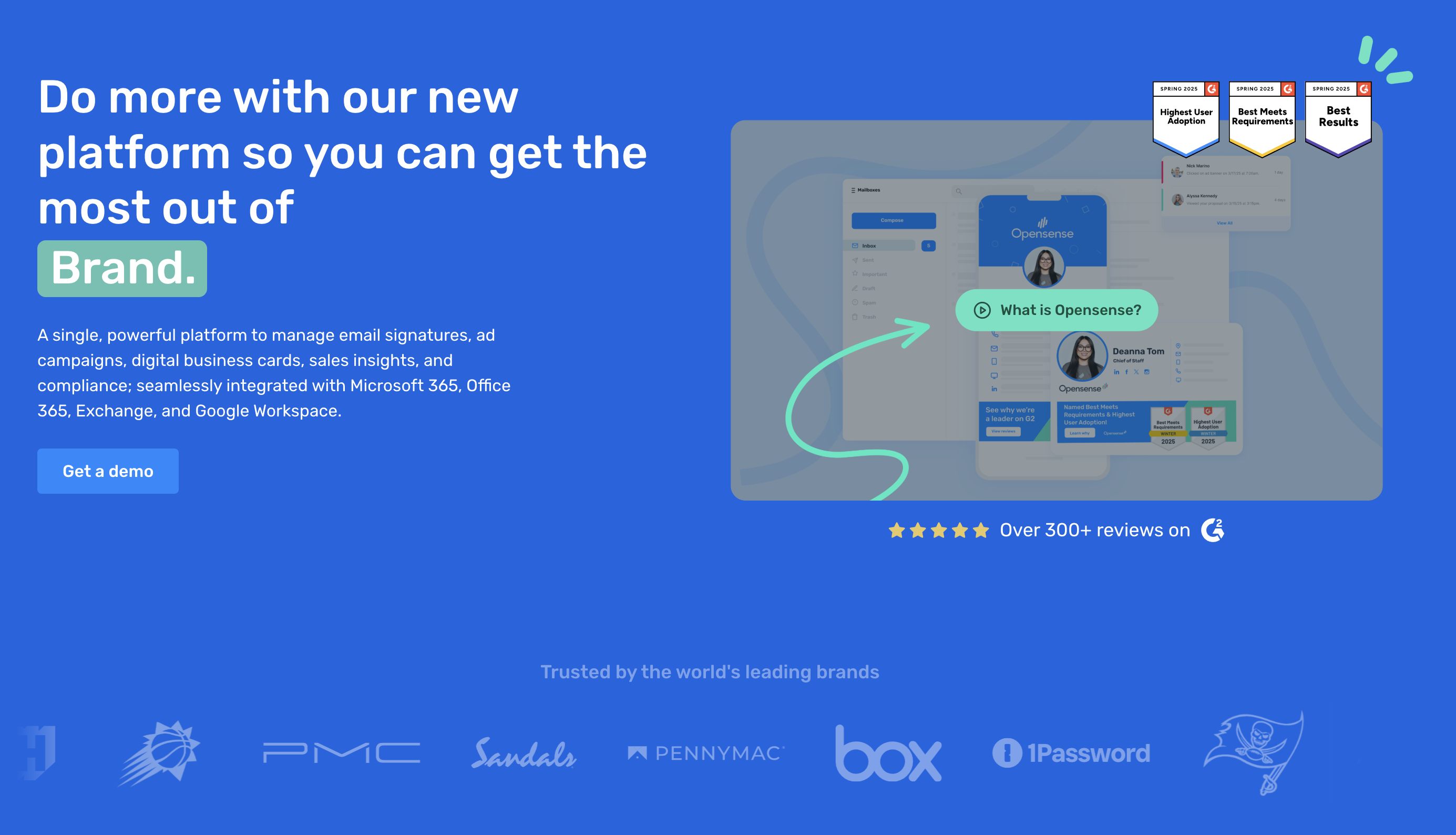
Opensense was built from the ground up to bridge the gap between IT signature management and marketing execution. The platform uses server-side architecture to apply signatures and banner campaigns at the transport layer, ensuring consistency across all devices and email clients. What sets Opensense apart from most competitors is the depth of its marketing and sales capabilities, which go well beyond basic signature standardization.
CRM integration is a core differentiator. Opensense connects natively with Salesforce and HubSpot, allowing marketing teams to target banner campaigns based on CRM data such as account tier, deal stage, industry, or geographic region. This means you can show a case study banner to prospects in the healthcare vertical, a webinar promotion to accounts in the pipeline, and a customer advocacy banner to closed-won accounts, all automatically. Engagement data (impressions, clicks, banner interactions) flows back into the CRM, giving sales reps visibility into which contacts are engaging with signature content.
Banner campaigns in Opensense support A/B testing, scheduling, and audience segmentation. Marketing teams can run multiple campaigns simultaneously, test creative variations, and measure performance with detailed analytics. This level of sophistication is comparable to what you would expect from a display advertising platform, but applied to the organic email channel.
Compliance and security are areas where Opensense has invested heavily. The platform holds SOC 2 Type II certification across all five trust principles, offers enterprise SSO through Okta, OneLogin, Ping, and SAP, and is one of the only email signature platforms authorized for Microsoft GCC High environments. That last point is critical for government contractors and defense organizations that must operate within the government community cloud.
Support is another differentiator worth mentioning. Opensense provides 24/7 US-based phone support with a four-hour maximum response time, which is notably above the industry standard of business-hours-only email support.
The primary consideration with Opensense is that it is built for organizations that want to do more than just manage signatures. If you are looking for a simple, low-cost tool to standardize contact blocks and nothing else, Opensense may offer more capability than you need. But for teams that want to extract real marketing value from their email channel, it is difficult to find a more complete platform.
Learn more about Opensense email signatures or explore the full email signature software feature set.
2. Exclaimer: Best forMicrosoft-Focused Organizations
G2 Rating: 4.3/5 Platform Support: Microsoft 365, Exchange, Google Workspace (limited) Deployment: Server-side Best For: Organizations deeply invested in the Microsoft ecosystem
Exclaimer is one of the longest-standing players in the email signature space, founded in 2001 in the United Kingdom. The company built its reputation on Microsoft Exchange signature management and has expanded over the years to cover Microsoft 365 cloud environments. Exclaimer was acquired by Insight Partners in 2021, and the platform continues to carry strong brand recognition, particularly in Europe.
Microsoft integration is where Exclaimer shines. The platform offers robust Azure Active Directory synchronization, solid template design tools, and reliable server-side signature deployment for Microsoft 365 environments. If your organization runs a pure Microsoft stack and your primary need is IT-managed signature consistency, Exclaimer delivers a polished experience.
Template design is user-friendly. Exclaimer provides a drag-and-drop signature editor that non-technical administrators can use to create and update templates without HTML knowledge. The editor includes pre-built layouts and the ability to dynamically populate fields from Active Directory attributes.
Security certifications include SOC 2 Type II and ISO 27001, which meet the requirements of most enterprise procurement processes.
Where Exclaimer shows its limitations is in marketing capabilities and cross-platform support. Google Workspace support exists but is not as mature as the Microsoft integration. CRM connectivity is limited compared to platforms like Opensense; you will not find native Salesforce or HubSpot integration with bidirectional data flow. Banner capabilities are present but basic, without A/B testing or advanced audience targeting. And GCC High support is not available, which rules Exclaimer out for US government organizations.
For a deeper comparison, see our Opensense vs Exclaimer analysis or visit the Exclaimer alternative page.
3. CodeTwo: Best forOn-Premise & Hybrid Exchange
G2 Rating: 4.5/5 Platform Support: Microsoft 365, Exchange Server (on-premise) Deployment: Server-side (cloud and on-premise options) Best For: Organizations with on-premise Exchange servers or hybrid Exchange environments
CodeTwo is a Polish company that has built a strong reputation in the Microsoft ecosystem, particularly for organizations that still maintain on-premise Exchange Server infrastructure. The platform is Microsoft-certified and offers both cloud-based and on-premise deployment options, making it one of the few signature tools that can serve organizations in the middle of a cloud migration without forcing them to choose one or the other.
On-premise deployment is CodeTwo's most distinctive capability. While most competitors have moved entirely to cloud-based architectures, CodeTwo continues to maintain and update its on-premise product (CodeTwo Exchange Rules). This is valuable for organizations in regulated industries or regions where data sovereignty requirements prevent them from routing email through third-party cloud infrastructure.
Microsoft certification adds credibility. CodeTwo is one of a small number of email signature vendors that carry official Microsoft certification for their Microsoft 365 integration, which can simplify IT procurement decisions.
Template management is solid, with support for dynamic fields, departmental rules, and conditional signature assignment based on Active Directory attributes.
The tradeoffs are significant for marketing-oriented teams. CodeTwo does not offer Google Workspace support, which rules it out for organizations running Google or hybrid environments. CRM integration is minimal. Banner campaign capabilities are limited compared to marketing-focused platforms. And analytics are basic, offering click tracking but not the deeper engagement metrics or buyer intent signals that revenue teams need.
CodeTwo is an excellent choice for Microsoft-only organizations, especially those with on-premise Exchange requirements. For a detailed comparison, see Opensense vs CodeTwo or visit the CodeTwo alternative page.
4. WiseStamp: Best forSmall Businesses & Individuals
G2 Rating: 4.4/5 Platform Support: Gmail, Outlook (via browser extension) Deployment: Client-side (browser extension) Best For: Freelancers, solopreneurs, and small teams under 20 people
WiseStamp takes a fundamentally different approach from the enterprise platforms on this list. Rather than server-side deployment, WiseStamp uses a browser extension to inject signatures into webmail clients, primarily Gmail. The platform also offers a free tier that lets individual users create a professional-looking signature in minutes, making it the most accessible entry point in the category.
Ease of setup is WiseStamp's greatest strength. You install a browser extension, design your signature using a visual editor, and it starts appearing in your emails immediately. There is no IT involvement required, no mail flow configuration, and no server-side setup. For a freelancer or small business owner who just wants a polished signature, this simplicity is hard to beat.
The free tier is genuinely useful. It includes basic signature design with social media icons, a professional layout, and support for Gmail. Paid plans unlock additional templates, the ability to remove WiseStamp branding, and basic team management features.
Social media integration is well executed. WiseStamp makes it easy to add clickable social media icons, RSS feeds, and even Instagram photo galleries to your signature. For individuals building a personal brand, these features add genuine value.
The limitations become apparent at scale. Client-side deployment means signatures only appear when the browser extension is active, so emails sent from mobile devices, desktop Outlook (without the web version), or other email clients will not include the signature. There is no centralized IT control for large teams, no CRM integration, no banner campaign capabilities, and no compliance certifications like SOC 2. The platform is not designed for enterprise use, and it does not pretend to be.
WiseStamp occupies a valuable niche for individuals and very small teams. For organizations evaluating enterprise-grade solutions, see our Opensense vs WiseStamp comparison or the WiseStamp alternative page.
5. Crossware: Best forMicrosoft Teams Environments
G2 Rating: 4.6/5 Platform Support: Microsoft 365, Exchange Deployment: Server-side Best For: Microsoft-centric organizations that also need Teams signature capabilities
Crossware is a New Zealand-based company that has carved out a niche in the Microsoft ecosystem with a particular emphasis on extending email signatures into Microsoft Teams. While most signature tools focus exclusively on email, Crossware has invested in integrating signatures into the broader Microsoft collaboration stack.
Microsoft Teams integration distinguishes Crossware from most competitors. As organizations increasingly communicate through Teams alongside traditional email, having consistent branding across both channels is a legitimate business need. Crossware addresses this by allowing administrators to manage signatures that appear in Teams messages, not just emails.
Azure hosting is another selling point. Crossware runs its infrastructure within Microsoft Azure data centers, which can simplify compliance discussions for organizations that have already approved Azure as a hosting environment. Data stays within the Microsoft ecosystem, which reduces the number of third-party vendors that need to pass security review.
Template management covers the essentials, with support for dynamic fields, departmental rules, and conditional logic based on Active Directory attributes.
The limitations mirror those of other Microsoft-focused tools. Google Workspace support is not available. CRM integration is minimal. Marketing capabilities like banner campaigns, A/B testing, and advanced analytics are limited or absent. For organizations that need cross-platform support or want to leverage signatures as a marketing channel, Crossware will feel restrictive.
For more details, visit the Crossware alternative page.
6. Rocketseed: Best forEmail Banner Marketing
G2 Rating: 4.5/5 Platform Support: Microsoft 365, Google Workspace, Exchange Deployment: Server-side Best For: Organizations focused primarily on email banner campaigns and impression tracking
Rocketseed, based in South Africa, differentiates itself by emphasizing email banner marketing over traditional signature management. While the platform handles signature standardization, its core value proposition centers on clickable banners that appear below the signature, with detailed tracking of impressions and clicks.
Banner marketing focus is Rocketseed's primary strength. The platform provides tools for designing, deploying, and tracking banner campaigns with granular reporting on impressions, unique views, and click-through rates. For organizations that view employee email primarily as a media channel, this focus is appealing.
Impression tracking goes deeper than most competitors, offering per-email open and view tracking that helps marketing teams quantify the reach of their banner campaigns. The platform reports on total impressions across the organization, giving marketing leaders a metric they can use to justify investment.
Cross-platform support covers Microsoft 365, Google Workspace, and Exchange, which is broader than several competitors on this list.
The tradeoffs include limited CRM integration, less sophisticated audience targeting compared to Opensense, and a smaller market presence that may raise questions during enterprise procurement. The platform is also less well known in North America, with most of its customer base concentrated in Europe, Africa, and Asia-Pacific.
For more details, visit the Rocketseed alternative page.
7. Newoldstamp: Best forSMB Teams on a Budget
G2 Rating: 4.5/5 Platform Support: Gmail, Outlook, Apple Mail Deployment: Client-side (copy-paste or integration) Best For: Small and mid-sized businesses looking for affordable signature management
Newoldstamp (now operating under the Mailtastic brand after acquisition by KPMG-backed company) provides a straightforward signature management solution aimed at small and mid-sized businesses. The platform offers a clean, intuitive interface for designing signatures and deploying them across teams without extensive IT involvement.
User interface is one of Newoldstamp's strongest points. The signature editor is modern and easy to navigate, with drag-and-drop design, pre-built templates, and real-time preview. Non-technical users can create professional-looking signatures in minutes.
Pricing is competitive for the SMB segment, with per-user pricing that undercuts most enterprise-focused competitors. For organizations with fewer than 100 employees, the cost savings can be meaningful.
Banner campaigns are available at the team level, allowing managers to add promotional banners below signatures and track basic engagement metrics. While not as sophisticated as enterprise-grade campaign tools, this feature adds marketing value beyond simple signature standardization.
The limitations are predictable for a tool in this price range. There is no server-side deployment for guaranteed mobile consistency, CRM integration is limited, compliance certifications are basic, and the platform lacks the depth of analytics and targeting that larger organizations require. Newoldstamp is a solid choice for SMBs that need organized, professional signatures without enterprise complexity or cost.
For more details, visit the Newoldstamp alternative page.
8. Letsignit: Best forEuropean Organizations
G2 Rating: 4.5/5 Platform Support: Microsoft 365, Google Workspace Deployment: Server-side Best For: European organizations with strong GDPR compliance requirements
Letsignit is a French company that has built its email signature platform with European data protection regulations at the forefront. The platform offers signature management and banner campaigns with a particular emphasis on GDPR compliance, data residency within the European Union, and adherence to French and EU regulatory standards.
GDPR compliance is central to Letsignit's positioning. The platform stores and processes data within EU data centers, provides detailed data processing documentation, and offers features designed to help organizations meet their GDPR obligations related to email communications. For European organizations where GDPR compliance is a primary procurement criterion, this focus is reassuring.
Cross-platform support covers both Microsoft 365 and Google Workspace, which gives Letsignit broader compatibility than several competitors that focus exclusively on Microsoft.
Banner campaigns are supported with basic targeting and tracking capabilities. The platform allows marketing teams to deploy promotional banners and measure click-through rates, though the sophistication of targeting and analytics does not match the leaders in this space.
French-language support and EU-based customer service are practical advantages for organizations in France and other French-speaking markets. Enterprise software support in your native language can meaningfully reduce friction during implementation and ongoing administration.
The limitations include less mature CRM integration, a smaller feature set for marketing analytics compared to Opensense, and limited brand recognition outside of Europe. Organizations in North America or Asia-Pacific may find fewer case studies, integration partners, and peer references to validate their purchase decision.
For more details, visit the Letsignit alternative page.
Comparison Table
| Tool | Platform Support | Deployment | CRM Integration | Banner Campaigns | Compliance | Pricing Model |
|---|---|---|---|---|---|---|
| Opensense | M365 + Google Workspace | Server-side | Salesforce, HubSpot (native) | Advanced (A/B testing, targeting) | SOC 2 (all 5), GCC High | Per-user, all features included |
| Exclaimer | M365 + Google (limited) | Server-side | Limited | Basic | SOC 2, ISO 27001 | Tiered per-user |
| CodeTwo | M365 + Exchange on-prem | Server-side (cloud + on-prem) | Minimal | Limited | Microsoft-certified | Per-user + perpetual license |
| WiseStamp | Gmail, Outlook (web) | Client-side (extension) | None | None | None | Free tier + per-user paid |
| Crossware | M365 + Exchange | Server-side | Minimal | Limited | Azure-hosted | Per-user |
| Rocketseed | M365 + Google + Exchange | Server-side | Limited | Strong (impression tracking) | Basic | Per-user |
| Newoldstamp | Gmail, Outlook, Apple Mail | Client-side | Limited | Basic | Basic | Per-user (affordable) |
| Letsignit | M365 + Google Workspace | Server-side | Limited | Basic (targeting) | GDPR-focused, EU data residency | Per-user |
How to Choose the Right Email Signature Software
Selecting the right platform depends on three primary factors: your organization's size, your email platform, and whether you want signatures to serve as a marketing channel or purely an IT compliance function.
For enterprises (500+ employees) with marketing goals: Start with Opensense. The combination of server-side deployment, native CRM integration, advanced banner campaigns, and enterprise compliance certifications makes it the most complete platform for organizations that want to turn email into a measurable marketing channel. If your organization operates in the US government space, Opensense is currently the only option with GCC High authorization.
For Microsoft-only enterprises focused on IT compliance: Exclaimer and CodeTwo both serve this use case well. Choose Exclaimer if you are fully cloud-based on Microsoft 365. Choose CodeTwo if you maintain on-premise Exchange servers or are in the middle of a hybrid migration. Both offer reliable signature standardization without the marketing-focused features.
For small businesses and startups (under 50 employees): WiseStamp or Newoldstamp will get you started quickly at a lower cost. If you are a one-person operation or very small team, WiseStamp's free tier is a reasonable starting point. If you have a team of 10 to 50 and want basic team management, Newoldstamp offers more structure at an affordable price point.
For European organizations with strict data residency requirements: Letsignit is worth serious consideration, especially if GDPR compliance and EU data residency are non-negotiable procurement criteria. The platform may not have the deepest feature set, but its regulatory focus is genuine.
For organizations using Microsoft 365: Every server-side tool on this list supports Microsoft 365, so your decision will hinge on secondary factors like CRM integration, marketing capabilities, and compliance requirements.
For organizations using Google Workspace: Your options narrow significantly. Opensense, Letsignit, and Rocketseed offer the most mature Google Workspace support. Several competitors either do not support Google Workspace or offer it as a secondary, less-featured integration.
FAQ
What is the best free email signature software?
WiseStamp offers the most fully featured free tier for individuals. The free plan includes a professional signature design with social media icons and works through a browser extension in Gmail. For teams, most enterprise platforms offer free trials (typically 14 to 30 days) but do not have permanent free tiers. If you need centralized management for a team, expect to pay per user. The investment is typically modest relative to the brand consistency and marketing value it delivers.
Do I need email signature software if I use Office 365?
Microsoft 365 includes basic built-in signature functionality that allows individual users to set up their own signatures in Outlook. However, this native feature has significant limitations: there is no centralized control, no way to enforce consistency across the organization, no mobile signature support (signatures set in Outlook desktop do not appear on mobile), and no marketing capabilities like banners or analytics. If you have more than 20 employees or care about brand consistency across devices, dedicated email signature software for Office 365 is worth the investment.
What is the difference between email signature software and an email signature generator?
An email signature generator is a design tool that helps you create a signature template, which you then manually copy and paste into your email client settings. An email signature management platform goes much further: it centrally controls, deploys, and updates signatures across your entire organization, ensures consistency across all devices, and (in the case of platforms like Opensense) adds marketing capabilities like banner campaigns, analytics, and CRM integration. Generators are fine for individuals. Management platforms are built for teams and organizations. You can explore email signature software options to see the full range of capabilities that management platforms offer beyond simple generation.