

Exclaimer vs Opensense: Why Enterprise Teams Switch
See why enterprise teams switch from Exclaimer to Opensense for deeper CRM integration, advanced analytics, and true cross-platform email signature management.

What's the difference?
See how Opensense stacks up in features in comparison to

Openense helps marketing, sales, and IT teams unlock the power of employee email to drive revenue, build brand, and strengthen security and compliance across every message.


Microsoft 365, Exchange & Google Workspace.



What's the difference?
See how Opensense stacks up in features in comparison to
Openense helps marketing, sales, and IT teams unlock the power of employee email to drive revenue, build brand, and strengthen security and compliance across every message.
Microsoft 365, Exchange & Google Workspace.
Overview of Exclaimer
Exclaimer is one of the longest-standing email signature management platforms on the market, founded in 2001 in Farnborough, United Kingdom. The company built its reputation within the Microsoft ecosystem, offering email signature management for Exchange Server and later expanding to Microsoft 365 and Google Workspace. In 2021, Exclaimer was acquired by Insight Partners, a global private equity firm. For a deeper analysis of how the two platforms compare, see our detailed Opensense vs Exclaimer blog post.
Exclaimer is a solid choice for organizations that operate primarily within the Microsoft ecosystem and need centralized email signature management without extensive marketing automation. The platform handles the fundamentals well: template design, Active Directory synchronization, and rule-based signature assignment. For Microsoft-only shops with straightforward signature needs, Exclaimer has been a reliable option for over two decades.
Key Differences Between Exclaimer and Opensense
Platform Support
Exclaimer was built with Microsoft at its core. While the platform has added Google Workspace support over time, its deepest integrations remain with Microsoft 365 and Exchange. Opensense was designed from the start as a true cross-platform solution, providing native support for Microsoft 365, Google Workspace, and mobile devices with equal depth across all platforms. Organizations running a mixed environment of M365 and Google Workspace will find Opensense delivers a more consistent experience.
Deployment Architecture
Exclaimer relies on transport rules to inject signatures into outgoing emails. Opensense uses server-side injection that works independently of mail transport rules, providing more flexibility in how and when signatures are applied. This architectural difference means Opensense can handle complex routing scenarios and ensures signatures render consistently across every device and email client, including mobile, shared mailboxes, and forwarded messages.
Marketing and CRM Integration
This is where the platforms diverge most significantly. Exclaimer focuses primarily on IT-managed signature administration. Opensense bridges the gap between IT and marketing by offering deep native integrations with Salesforce and HubSpot, ABM campaign targeting, banner A/B testing, and the ability to personalize email signatures and banners based on CRM data. Marketing teams can run targeted email signature management campaigns without IT involvement for every change.
Analytics and Buyer Insights
Exclaimer provides basic reporting on signature deployment. Opensense goes further with buyer intent signals, multi-recipient tracking, and video replay analytics. These capabilities turn every email your team sends into a measurable marketing channel, giving revenue teams visibility into which prospects are engaging with signature content.
Compliance and Security
Both platforms hold SOC 2 certification. However, Opensense supports Microsoft GCC High, a critical requirement for government contractors and organizations in regulated industries that must meet FedRAMP and ITAR compliance standards. This makes Opensense the only viable option for defense contractors and federal agencies.
Support
Opensense offers 24/7 US-based phone support with a 4-hour maximum response time. This level of support responsiveness is especially important during initial deployment and for enterprise organizations where email signature issues can affect thousands of employees simultaneously.
Who Should Choose Exclaimer
Exclaimer is a reasonable fit for organizations that operate exclusively within the Microsoft ecosystem and need reliable, straightforward signature management. Companies that prefer a UK-based vendor, have simpler signature requirements without deep marketing integration needs, and primarily want IT-controlled signature standardization will find Exclaimer capable. It is a mature product with a long track record in the Microsoft space.
Who Should Choose Opensense
Opensense is the better choice for enterprise teams that need true cross-platform email signature software with support across Microsoft 365 and Google Workspace. Marketing teams that want CRM-integrated banner campaigns with A/B testing and audience targeting will unlock capabilities that Exclaimer does not offer. Organizations in regulated industries, especially government contractors requiring GCC High compliance, need Opensense. And revenue teams that want buyer intent insights from every email their organization sends will find Opensense delivers measurable ROI beyond basic signature management. Book a demo to see the difference firsthand.
Migrating from Exclaimer to Opensense
Switching from Exclaimer to Opensense is straightforward. Most organizations complete the migration in less than one business day with zero disruption to end users.
Step 1: Export Your Current Configuration (15 minutes)
Document your existing Exclaimer signature templates, department rules, and Active Directory group mappings. The Opensense onboarding team can assist with this audit to ensure nothing is missed during the transition.
Step 2: Connect Your Email Platform (15 minutes)
Connect your Microsoft 365 or Google Workspace tenant to Opensense. This involves authorizing the Opensense application and configuring mail flow connectors. Your Exclaimer setup continues running during this step, so there is no disruption to outgoing email.
Step 3: Recreate Signature Templates (30-60 minutes)
Rebuild your signature designs in the Opensense drag-and-drop editor. Most organizations take this opportunity to refresh their signature designs. The Opensense design team will create up to five custom templates at no additional cost.
Step 4: Configure Rules and Switch Mail Flow (5 minutes)
Map your department and group-based signature rules in Opensense using Active Directory or Google Directory sync. Once rules are configured, switch the mail flow connector from Exclaimer to Opensense. The transition is immediate: the next outgoing email carries the new Opensense-managed signature.
Step 5: Decommission Exclaimer (5 minutes)
Once you have verified that Opensense is handling all outgoing signatures correctly, remove the Exclaimer mail flow connector and cancel your Exclaimer subscription. The Opensense support team can assist with verification.
Pricing: Exclaimer vs. Opensense
Exclaimer uses a tiered pricing model where advanced features (analytics, A/B testing, and priority support) are locked behind higher-priced plans. As your organization grows, costs escalate and you may need to upgrade tiers to access features you assumed were included.
Opensense uses flat per-user pricing. Every feature is included at every tier: CRM integration, banner campaigns, analytics, A/B testing, GCC High support, and 24/7 US-based phone support. There are no feature gates and no surprise costs at scale.
For a 500-user organization, Opensense typically delivers more functionality at a lower total cost of ownership than Exclaimer's comparable tier. Visit our pricing page for current rates, or book a demo to get a custom quote for your organization.
What Exclaimer Customers Say After Switching
"We switched from Exclaimer to Opensense because we needed CRM integration that actually worked with our Salesforce workflows. The migration took half a day and our marketing team was running banner campaigns by the end of the week." [Name], [Title] at [Company]
"Exclaimer served us well for basic signatures, but once we grew past 1,000 employees, the tiered pricing and limited analytics became a bottleneck. Opensense gave us everything in one flat rate." [Name], [Title] at [Company]
Frequently Asked Questions
Can I migrate from Exclaimer to Opensense?
Yes. The Opensense onboarding team handles the full migration process, including recreating your existing signature templates, importing employee data, and configuring deployment rules. Most migrations from Exclaimer are completed within a few business days with zero disruption to end users. Your team continues sending emails with signatures throughout the transition. Review our case studies to see how other enterprises have made the switch.
Does Opensense work with Exchange on-premise?
Yes. Opensense supports Exchange Server (on-premise), Microsoft 365, and Google Workspace. Whether your organization is fully cloud, fully on-premise, or running a hybrid environment, Opensense can manage signatures across all of them from a single platform. Learn more about our Office 365 integration.
How does pricing compare between Exclaimer and Opensense?
Pricing varies based on organization size and feature requirements. Contact Opensense for enterprise pricing. One important consideration: Opensense includes advanced features like analytics, ABM campaign targeting, and CRM integration as part of the platform, whereas comparable functionality would require add-ons or third-party tools with other solutions. This means the total cost of ownership often favors Opensense for marketing-forward organizations.
What about Google Workspace support?
Opensense has native Google Workspace integration that provides the same depth of functionality as its Microsoft 365 support, including server-side signature injection, banner campaigns, and analytics. Exclaimer added Google Workspace support later in its product evolution, and historically its deepest integrations have been Microsoft-first. For organizations on Google Workspace or running a mixed M365/Google environment, Opensense provides a more balanced experience.
Does Opensense support mobile email signatures?
Yes. Because Opensense uses server-side signature injection, signatures are applied before the email reaches the recipient, meaning they render correctly on every device and email client, including iPhone Mail, Android Mail, and mobile Outlook. This is a significant advantage over solutions that rely on client-side plugins or transport rules that may not cover all mobile scenarios.
How long does the migration from Exclaimer take?
Most organizations complete the full migration in less than one business day. The Opensense onboarding team handles the heavy lifting: recreating templates, configuring rules, and switching mail flow connectors. Your team continues sending emails with signatures throughout the transition with zero downtime.
Is Opensense more expensive than Exclaimer?
Opensense uses flat per-user pricing with all features included. Exclaimer uses tiered pricing where advanced features require higher-priced plans. For most enterprise organizations, Opensense delivers more functionality at a comparable or lower total cost. See our pricing page for details.
Related Resources
- Email Signature Management - Learn how Opensense centralizes signature management across your organization
- Email Signature Software - Compare enterprise email signature platforms
- Opensense vs CodeTwo - See how Opensense compares to another popular alternative
- Opensense vs WiseStamp - Enterprise server-side vs. browser plugin comparison
- How Baker Hill Standardized Email Signatures - A customer success story
Ready to switch from Exclaimer?
Form loading... Request a demo
Why choose Opensense?

Seamless Migration
Our onboarding team handles the full migration from Exclaimer. Templates, rules, and deployment are typically completed in less than one business day.

Marketing + IT United
Unlike Exclaimer's IT-only approach, Opensense bridges marketing and IT with CRM-integrated banner campaigns, A/B testing, and audience targeting.

Transparent Pricing
Flat per-user pricing with all features included. No tiered plans, no feature gates, no surprise costs as you scale.
Used by the brands you depend on



Security
We comply with global data protection and security frameworks.
We know your data is sensitive. That's why we combine enterprise-grade security features with regular audits to ensure that you're always protected.



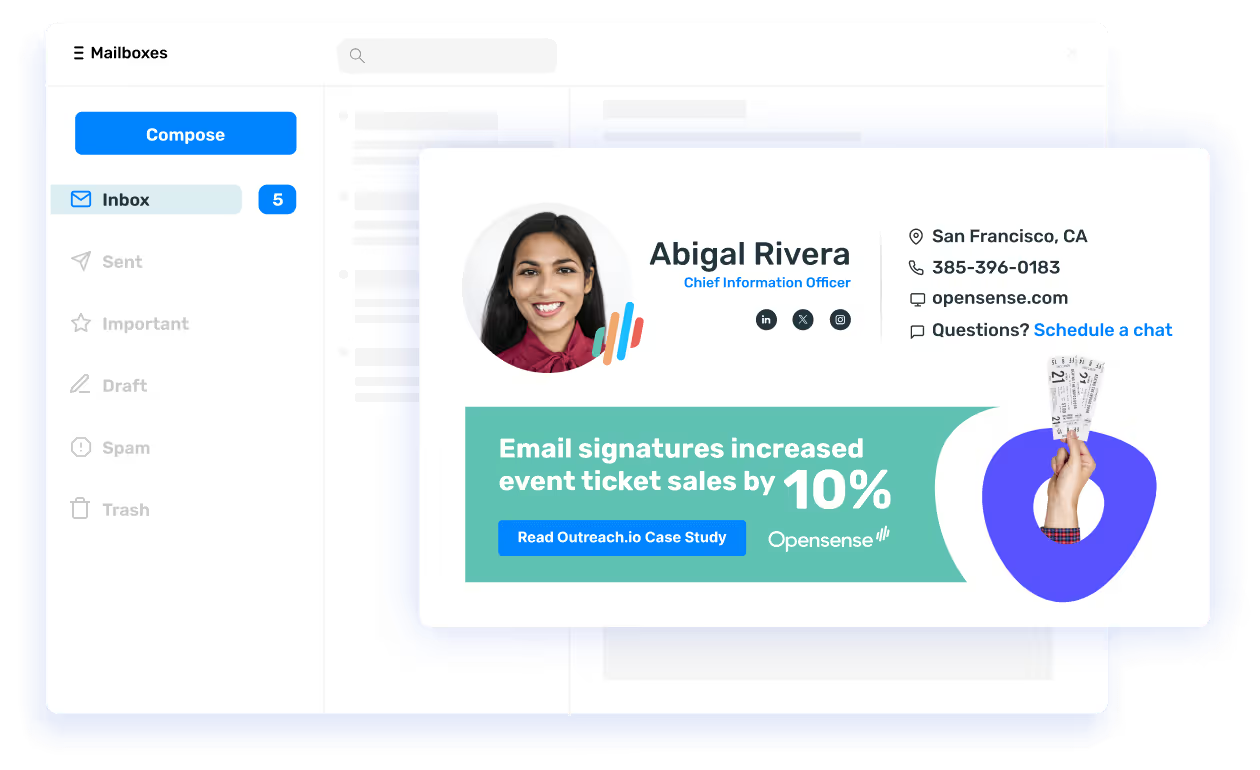
Everything Exclaimer does. Plus everything it doesn't.
Opensense matches Exclaimer on signature management fundamentals (Active Directory sync, template design, server-side deployment) then adds native CRM integration, banner A/B testing, buyer intent analytics, and GCC High support that Exclaimer cannot offer.
Get demo